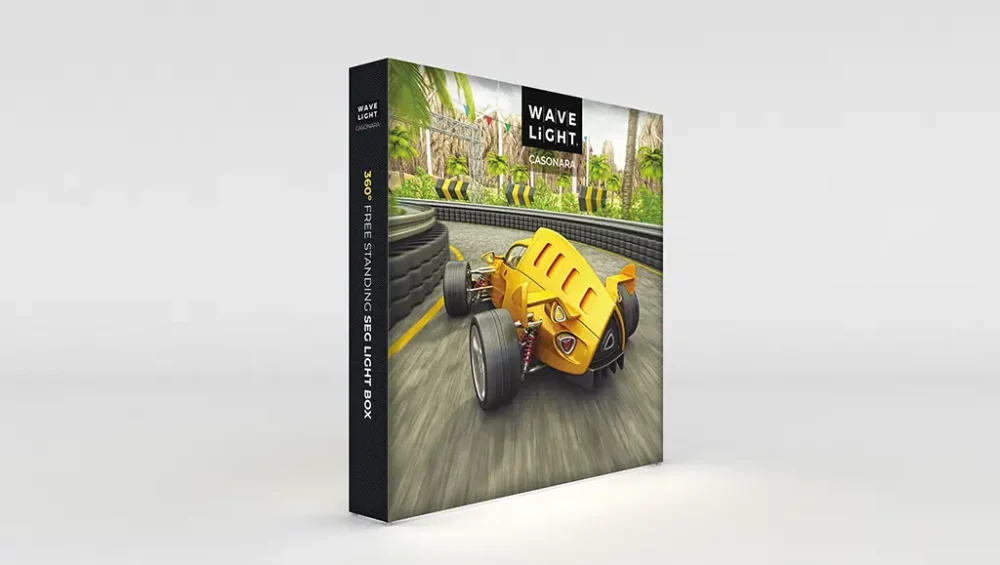
Simplifying Setup: How to Assemble the WaveLight® Casonara Lightbox with Ease
Setup complexity is one of the biggest frustrations exhibitors face when working with trade show displays. Complicated setups consume valuable time, create stress, and increase the risk of errors that can compromise your booth presentation. The WaveLight® Casonara Lightbox addresses these challenges with an assembly system designed for ease and efficiency.
Understanding how to assemble this system with ease helps you maximize its advantages and ensures you can set up your display quickly and reliably. From frame construction to graphics installation, every aspect of the assembly process is covered.
Preparation for Assembly
Before beginning assembly, take a moment to prepare your workspace and organize components. Choose a flat, clean area with enough space to lay out the frame components. Having adequate room makes the assembly process smoother and reduces the risk of damaging components during setup.
Unpack your transport case and organize the components. The frame pieces, fabric graphics, and power supply should be clearly visible and accessible. This organization step might seem minor, but it significantly speeds up the assembly process and helps ensure you don’t miss any components.
Check that you have all necessary components before starting. The frame system, fabric graphics, and power supply should all be present. Having everything ready before you begin prevents interruptions during assembly.
Frame Assembly Process
The frame assembly begins with identifying the frame components and understanding how they fit together. The WaveLight® Casonara Lightbox frame system uses precision-engineered aluminium components that connect without tools.
Start with the base frame components, connecting them according to your display’s configuration. The frame pieces are designed to fit together in only one way, preventing assembly errors. As you connect components, you’ll feel and hear the secure click that indicates proper connection.
Work systematically, building the frame structure from the base upward. This methodical approach ensures stability and makes it easier to identify any issues early in the process. The frame should feel solid and stable as you build it, with no loose connections or wobbly components.
Graphics Installation Method
Once your frame is assembled, it’s time to install the fabric graphics. The graphics system features edges that slide into channels built into the frame structure. This installation method is straightforward and requires no tools.
Start at one corner, inserting the graphic edge into the frame channel. Work your way around the frame, gently guiding the edge into the channel. The fit should be snug but not forced. If you encounter resistance, check that the edge is properly aligned with the channel.
As you work around the frame, the fabric should become progressively tauter. The edge and channel system is designed to create a smooth, professional finish automatically as you complete the installation. Take your time with this step to ensure the graphics are properly seated in all frame channels.
Lighting Connection
The LED lighting system is integrated into the frame structure, requiring minimal setup. Once your frame and graphics are in place, connect the power supply according to the manufacturer’s instructions. The LED system is designed for plug-and-play operation.
Test the lighting to ensure even illumination across the entire display surface. The LED system should provide consistent brightness without hot spots or dark areas. If you notice any lighting issues, check connections and consult the troubleshooting guide.
The lighting system is energy-efficient and designed to run continuously throughout multi-day events. Once activated, it requires no further attention, allowing you to focus on other aspects of your booth setup.
Final Adjustments and Positioning
After the graphics are installed and lighting is connected, take a moment to verify the installation quality. Check that the graphics are properly seated in all frame channels around the entire perimeter. The fabric should be taut with no wrinkles or sagging areas.
Make any necessary adjustments to ensure perfect alignment. The frame system allows for minor adjustments if needed. If you notice any areas that need attention, address them now before moving to the final steps.
Position your display according to your booth layout plan. The lightweight construction makes repositioning easy if you need to adjust placement. Consider sight lines, traffic flow, and how the backlit display will be visible from various angles.
Time-Saving Techniques
Several techniques can help you assemble the display more quickly. Organizing components before starting saves time during assembly. Having a clear workspace prevents delays from searching for components.
Working with a partner can speed up the process, especially for larger displays. One person can handle frame assembly while the other prepares graphics, or you can work together on the graphics installation step. Team coordination makes the process faster and more enjoyable.
Familiarizing yourself with the components and process before your first event reduces stress and setup time. Consider doing a practice assembly before your first important event to build confidence and identify any questions or issues in advance.
Troubleshooting Common Issues
If you encounter any issues during assembly, most problems have simple solutions. Frame components that don’t connect properly usually indicate misalignment rather than defective parts. Take a moment to ensure proper alignment before applying force.
Graphics that don’t fit smoothly might need gentle adjustment of the edge alignment. The edge should slide into the channel without excessive force. If you’re experiencing significant resistance, double-check that you’re using the correct channel and that the edge isn’t twisted or damaged.
Lighting issues are typically connection-related. Verify all power connections are secure and that you’re using the correct power supply. The LED system is designed for reliability, so most lighting problems resolve with connection checks.
Maintenance and Care
Proper assembly technique contributes to the display’s longevity. Handle components carefully during assembly to avoid damage. The frame and graphics are durable, but proper care during setup protects your investment.
After your event, disassemble the display following the reverse of the assembly process. Take care when removing graphics to avoid damaging the edges. Store components properly in the transport case to protect them between events.
Regular maintenance involves checking frame connections and graphics condition. The system is designed for repeated use, but periodic inspection ensures continued reliable performance. Address any wear or damage promptly to maintain display quality.
Conclusion
The WaveLight® Casonara Lightbox assembly process is designed for ease and efficiency, allowing you to create professional backlit displays quickly and reliably. Following this assembly guide helps you maximize the system’s potential while minimizing setup time and stress.
The tool-free assembly, intuitive frame system, and straightforward graphics installation make this display system accessible to users of all experience levels. With practice, you’ll be able to set up your display in minutes, giving you more time to focus on creating an exceptional booth experience for your visitors.
Ready to experience the ease of WaveLight® Casonara Lightbox assembly? Explore the WaveLight Casonara Lightbox range to discover how this system can streamline your trade show setup process.