How to Assemble OneFabric Pop-Up Banners for a Seamless Display
OneFabric Pop-Up Banners are designed for busy exhibitors who need professional results without complicated setup. In this guide you will learn how the product’s tool-free design, smart components, and fabric graphics combine to deliver seamless displays quickly and reliably. Consequently, you can focus on your presentation while the banner handles the visual impact.
General Information
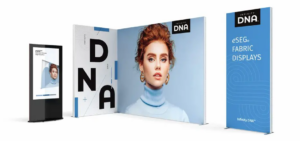
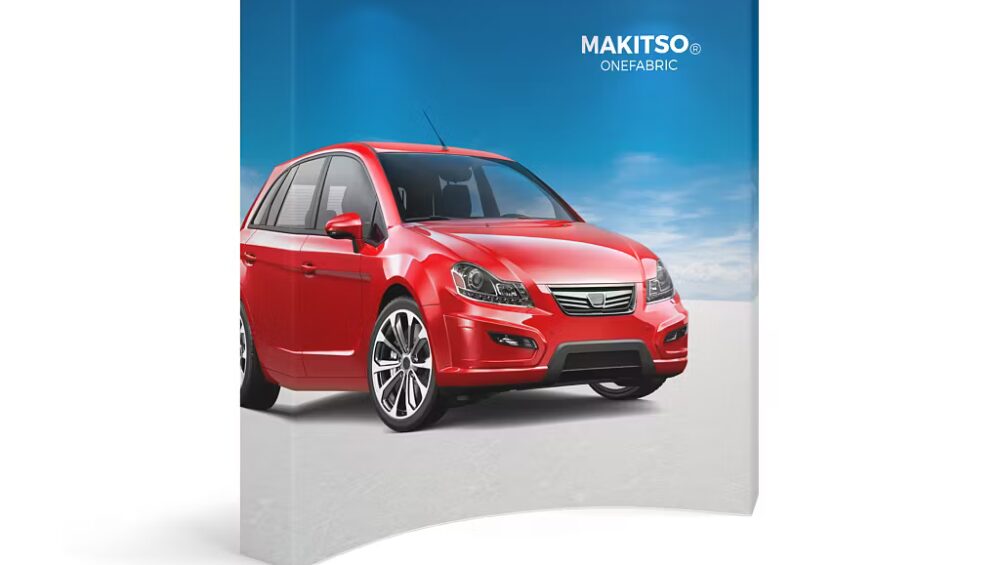
These banners are engineered as all-in-one display systems that prioritize simplicity and appearance. The fabric graphic stretches over a lightweight frame so that seams disappear and graphics print continuously, which enhances brand visibility. Moreover, the modular nature of the product makes it suitable for single panel stands or expanded multi-panel configurations.
Specifications
Expect a lightweight aluminum frame, tension-fit fabric graphics printed with high-resolution dye-sublimation, and a padded carry case for transport. The system typically includes frame sections, connection clips, fabric panels, and simple fasteners, and therefore setup requires no additional tools. In addition, the materials are chosen for durability and repeated use under event conditions.
Components
The kit contains a pop-up frame, stretch fabric graphic, interlocking connectors, and a storage bag. The frame snaps together to form a rigid structure, while the fabric panel slides or wraps over the frame and secures into place. As a result, each component works together to create a consistent, seamless surface for your branding.
Design Features
Key design features include edge-to-edge printing, wrinkle-resistant fabric, and precision-fit corners that eliminate visible gaps. Additionally, the frame geometry is engineered to keep the fabric under tension so graphics remain flat and readable. Therefore, the design supports a polished, professional look that enhances exhibitor credibility.
Setup Process
The assembly process is straightforward and tool-free, which saves time and reduces setup stress. First, unpack the components and lay out the frame on a flat surface. Next, connect frame sections by aligning the connectors and snapping them into place. Then, slide the fabric graphic over the assembled frame or attach the silicone edge into the groove, depending on your model. Finally, check panel alignment and adjust tension so the graphic sits smoothly and evenly. Consequently, you will have a complete display in minutes.
Portability and Storage
Because the frame breaks down into compact sections, the banner fits into a padded carry bag for easy transport. Furthermore, the lightweight materials reduce shipping costs and booth labor, and therefore you can move between venues with minimal effort. The fabric panels are washable and quick to dry, which means you can reuse the graphics across multiple events while maintaining a fresh appearance.
Use Cases
OneFabric Pop-Up Banners are ideal for trade shows, retail pop-ups, product launches, and conference backdrops. For example, use a single panel to create a branded interview wall, or combine multiple panels for a sweeping exhibit backdrop. Additionally, the system works well for photo opportunities and point-of-sale displays, so it adapts to a wide range of marketing needs.
Product Highlights
To summarize, the product offers fast, tool-free assembly, crisp edge-to-edge graphics, and modular scalability. In addition, the durable frame and washable fabric ensure long-term value. Therefore, exhibitors gain both visual impact and operational efficiency when they choose this system.
Conclusion
OneFabric Pop-Up Banners deliver a professional, seamless display with minimal effort, and they are especially valuable for teams that travel or set up frequently. By focusing on tool-free assembly, reliable frame connections, and easy fabric installation, the product reduces setup time while improving brand presentation. When you are ready to evaluate options or order, learn more and explore models at OneFabric Pop-Up Banners.