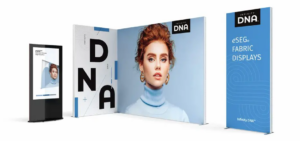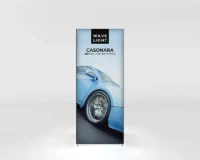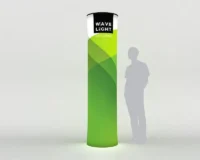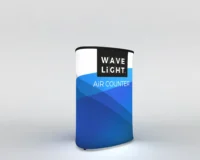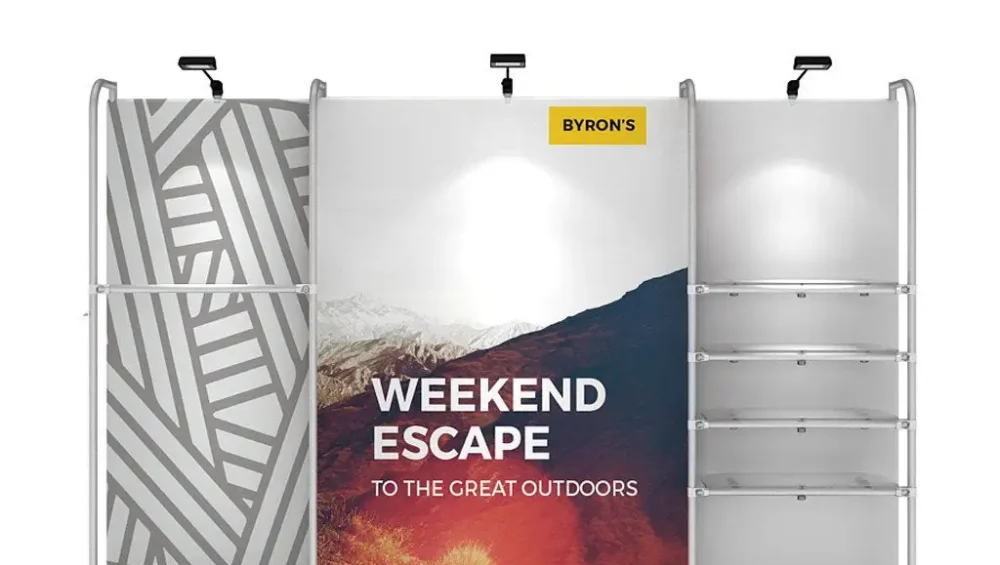
Step-by-Step Setup Guide for WaveLine® Pop-Up Display Systems
WaveLine® Pop-Up Display systems are professional exhibition banners designed for fast installation and a polished presentation. In this guide you will find clear, product-focused details that show why WaveLine is a preferred choice for exhibitors, marketers, and event teams. As a result, you can prepare better, install faster, and present with confidence.
General Information
WaveLine Pop-Up Displays combine lightweight engineering with durable materials to deliver reliable exhibition solutions. Moreover, the systems are modular, so they fit a range of booth sizes and layouts. Consequently, you can scale the display to match your event needs without sacrificing visual impact.
Specifications
Key specifications include a collapsible aluminum frame, tension fabric graphics, and integrated hardware points for accessories. In addition, the displays are compatible with lighting and shelving options, and they ship in protective carry cases for safe transport. Therefore, they are an ideal balance of strength and portability for frequent use.
Components
The WaveLine system includes several core components that work together to deliver a complete display. First, the pop-up frame provides structural support. Next, the printed fabric graphic attaches smoothly to the frame. Then, connection hardware secures accessories and lighting. Finally, a padded carry case stores everything for transport. Together, these pieces reduce setup time and simplify booth logistics.
Design Features
WaveLine emphasizes a clean visual presentation and straightforward mechanics. Furthermore, the tension-fit graphics hide seams and provide an uninterrupted print surface, which enhances brand visibility. Additionally, integrated alignment points and quick-lock connectors help you achieve a professional result even when time is limited.
Material Quality
Durable aluminum framing resists warping, and high-resolution dye-sublimated fabric resists fading and wrinkling. As a result, graphics remain crisp across multiple events, and the structural components maintain integrity over repeated setups. Therefore, WaveLine delivers both aesthetic quality and long-term reliability.
Portability and Transport
Because the system is lightweight and collapsible, one person can manage most WaveLine displays. Moreover, the included protective case and organized component layout reduce handling time at venues. Consequently, loading and unloading become faster, and storage between events is more efficient.
Setup Process
The setup process is optimized for speed and consistency, so even first-time users can assemble the system with confidence. Below are the step-by-step actions that form the complete setup.
Step One: Preparation and Component Verification
First, unpack the protective case and lay out all components on a clean surface. Then, verify the frame sections, fabric graphic, hardware packs, and tools. Next, check printed graphics for registration marks and inspect connectors for damage. By completing this check you prevent last-minute delays and ensure a smooth assembly.
Step Two: Frame Setup Process
Next, unfold the pop-up frame and lock the hubs into place. Then, expand the frame until it locks securely. Because the mechanism is intuitive, the frame forms a stable foundation quickly and reliably.
Step Three: Fabric Setup
After the frame is secure, attach the tension fabric graphic using the provided edge channels or magnetic strips. Furthermore, align the graphic so that print registration matches the frame, and smooth out any minor creases for a flawless appearance.
Step Four: Graphics Integration
Then, integrate any additional printed panels or header graphics, and ensure they align with the main fabric. In addition, consider adding backlit elements or spotlights to increase visual impact and attract more foot traffic.
Step Five: Hardware Attachment
Next, attach hardware such as shelving, literature holders, or monitor mounts. Because WaveLine features standardized attachment points, you can add or remove components quickly and adapt the display to different presentations.
Step Six: Final Positioning and Adjustment
Finally, position the assembled display within your booth and make small adjustments for alignment and sightlines. Then, test any mounted lighting and secure loose cables. After these final checks the display is exhibition-ready and will perform consistently throughout the event.
Quality Check and Verification
Before guests arrive, perform a short quality check to confirm frame locks, graphic tension, and hardware stability. Additionally, verify that printed colors are correct under event lighting. As a result of this verification you can feel confident that your display will represent your brand professionally.
Conclusion
WaveLine® Pop-Up Display systems deliver a reliable mix of portability, visual quality, and simple setup, so you can focus on engaging attendees rather than troubleshooting hardware. Furthermore, the clear component design and step-by-step assembly reduce labor time and increase consistency across events. Discover how WaveLine® Pop-Up Displays provide step-by-step setup and how this system can simplify your exhibition preparation.